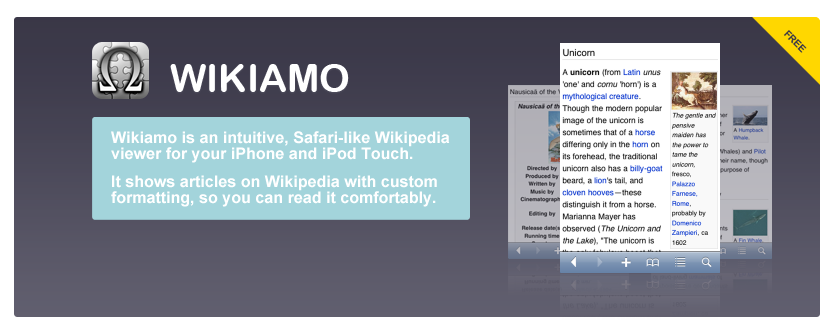
The good points of this application are:
- Bookmarks.
- History.
- Page cache. It allows you to read articles offline.
- Multilingual incremental search.
- Table of contents.
- Links to the other languages.
Check the system settings application on your home screen, you will see some options of Wikiamo.
- Font size.
- Auto rotate.
- Shake to show a random page.
- Permanent page cache.
- Show search dialog on launch.
- Clear page cache on the next launch.
Page cache is alive in a week by default. If you enable the permanent cache option, it will never be cleared.
For developers, you can launch Wikiamo from your application by calling openURL with wikiamo://.
To open a page:
wikiamo://en.wikipedia.org/wiki/{title}
To search:
wikiamo://en.wikipedia.org/search/{keyword}
Update History
Version 1.11 (2009/04/14)
- Fixed minor bugs.
Version 1.10 (2009/03/02)
- Always scroll to top whenever you tap on the statusbar.
- Build for iPhone OS 2.0.
Version 1.9 (2009/02/19)
- More robust error handling in search.
Version 1.8 (2009/01/14)
- Fixed a bug in getting page titles.
- Follow the HTML changes of Wikipedia.
Version 1.7 (2009/01/04)
- Fixed minor bugs.
Version 1.6 (2008/12/02)
- Fixed a bug, bookmarks could break after editing.
Version 1.5 (2008/11/25)
- Fixed minor bugs.
Version 1.4 (2008/11/19)
- Links to random page and main page.
- Send mail button.
- Option to show random page on shake. (Off by default)
- Option to show search on launch.
- Limit image size so that it fits in well with screen size.
- Fixed minor bugs.
Version 1.3 (2008/11/10)
- Added more languages for search.
- Supported wikiamo:// and wikipedia:// URL schemes.
- To open a page:
wikiamo://en.wikipedia.org/wiki/{title} - To search:
wikiamo://en.wikipedia.org/search/{word}
Version 1.2 (2008/10/23)
- Permanent cache option.
- Fixed a bug, keyboard language could be changed not on purpose when inputting a search keyword.
Version 1.1 (2008/10/16)
- Font size option.
- Auto rotate option.
- Option to clear page cache on the next launch.
- Fixed minor bugs.
Programmed by Satoshi Nakagawa
Icon designed by
Site designed by Alexandr Deplov